A customer should not have to save your number to message you. A short link or a QR code on a door, a table or a box takes them straight to a chat with the first message already typed. Both are already in your app.
WhatsApp Business QR Code and Short Link: Quick Answer
The short version:
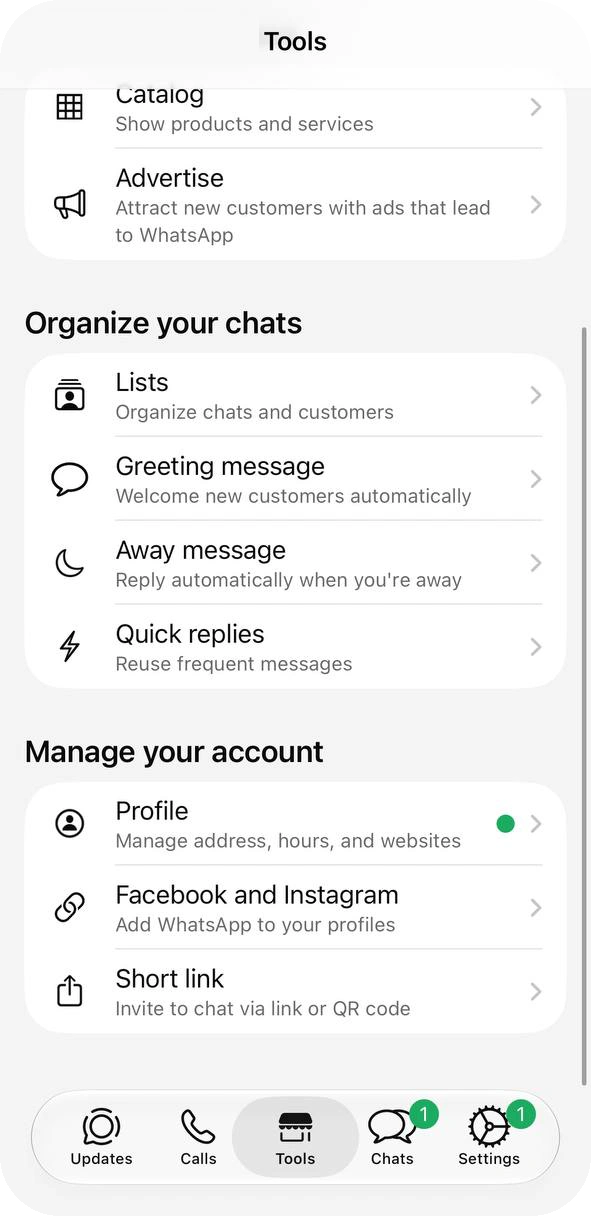
Open Tools → Short link. Your link and the QR code button are on that screen. The short link is created together with the account.
Add a first message of up to 140 characters. Customers can edit it before they send, and you can change it later without reprinting the code.
QR code → Share code → Save Image, crop to the code, print it. WhatsApp’s sticker template is 8 × 8 cm. If a code leaks to spammers, Reset replaces both the link and the QR.
A code only opens the chat. It doesn’t reply for you and it doesn’t count scans, so answers and numbers come from you, quick replies or automation.
This guide is about the phone app. Starting from zero? See how to create a WhatsApp Business account.
Find Your Short Link and QR Code
Nothing to create: WhatsApp generates the short link when you open the account. On Android the path is the same, and the QR code also opens from Settings, from the QR icon next to your name.
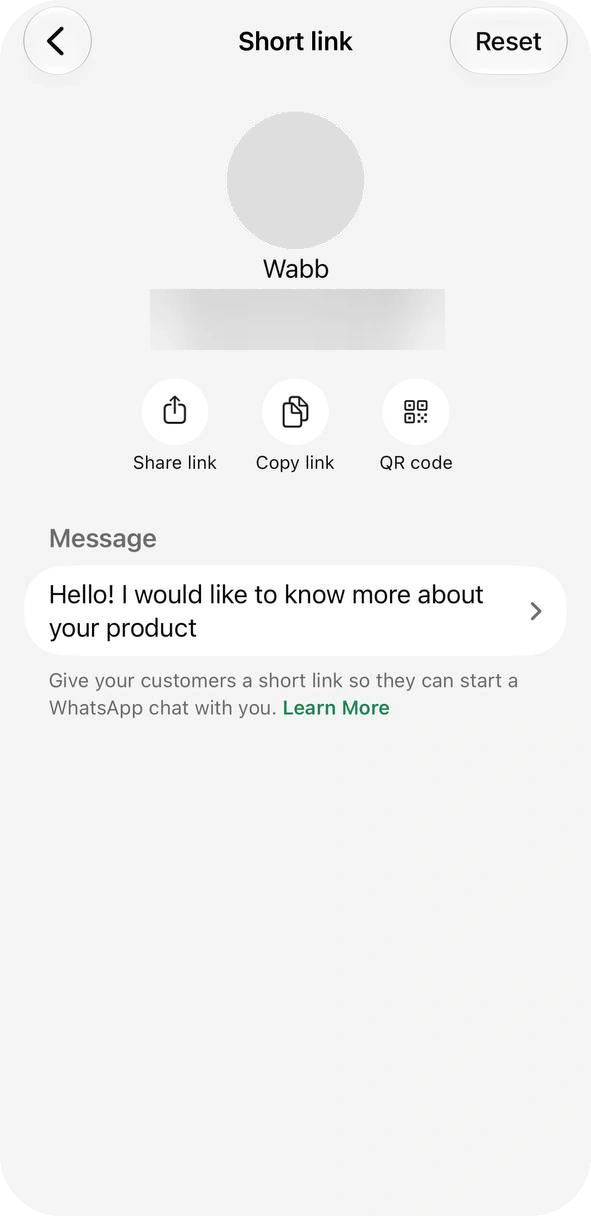
On the Tools tab, Short link is the last row of the Manage your account group. On that screen, Share link sends the link, Copy link copies it and QR code opens the code. The Message row below is the first message customers will see.
Set the First Message
Tap the Message row on the Short link screen (it says Add until you write something), type what customers will send, up to 140 characters, and save. They can edit it before they hit send. The same text is used by the QR code, and you can change it any time without reprinting anything.
The app keeps one message for the whole account, so write one that works wherever the code hangs, and swap it when you run a campaign. Write it in the customer’s voice. Ideas by placement:
| If the code is on | First message |
|---|---|
| Menu or table tent | Hi! I’d like to see your menu. |
| Restaurant door | Hi! I’d like to book a table for [number] people. |
| Shop window | Hi! Is [product] in stock? |
| Poster or flyer | Hi! I saw your poster and I’d like to know more about the offer. |
| Packaging | Hi! I scanned the code on my package and I need help with my order. |
Source: WhatsApp Help Center — How to create short links, checked 23 October 2026.
Share and Print the QR Code
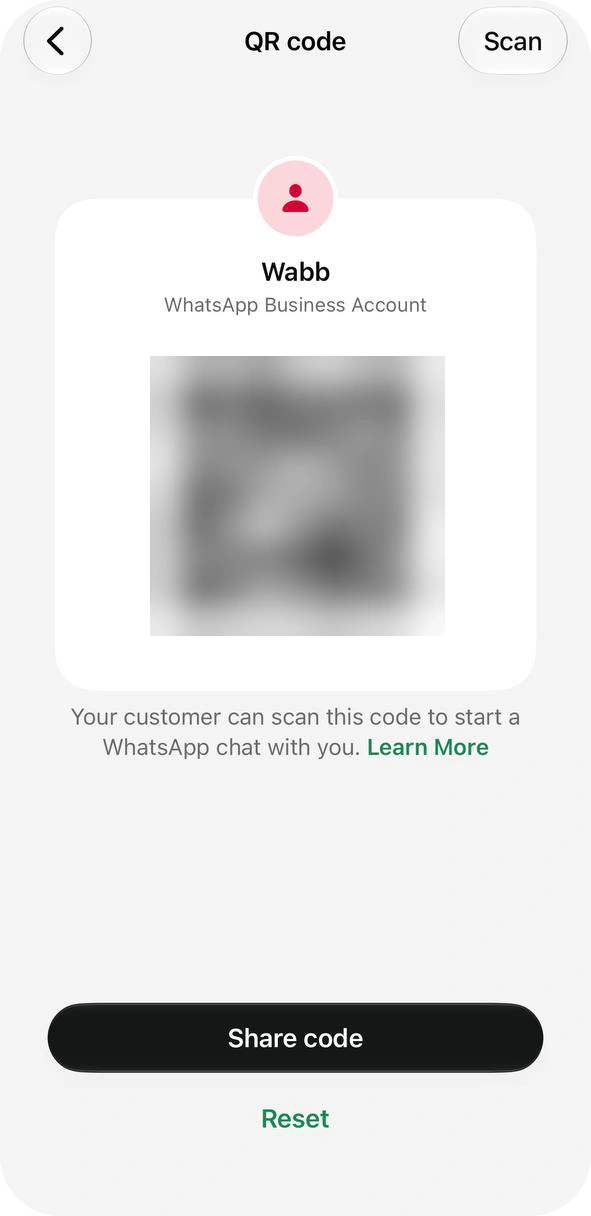
Tap QR code on the Short link screen. The code carries your business name; if you have a business username, it is printed on it too.
Send it. Share code opens the iPhone share sheet: Messages, Mail, AirDrop, Notes. You can add a caption. Share link sends the link to a contact or app the same way.
Save the image. The same sheet has Save Image. WhatsApp also suggests a screenshot, cropped to the code.
Print it at 8 × 8 cm if you use WhatsApp’s sticker template, from your phone or from a computer after emailing the image, without stretching it.
Leave the look alone. Meta advises against recoloring a code: it can stop scanning. WhatsApp’s own camera also scans only official WhatsApp QR codes, so don’t swap in one from a generic generator. Test the printed copy on an iPhone and an Android phone before you order a hundred.
Say what the scan gets them. Put one line next to the code, such as “Scan to see today’s menu”. A bare code gives no reason to scan.
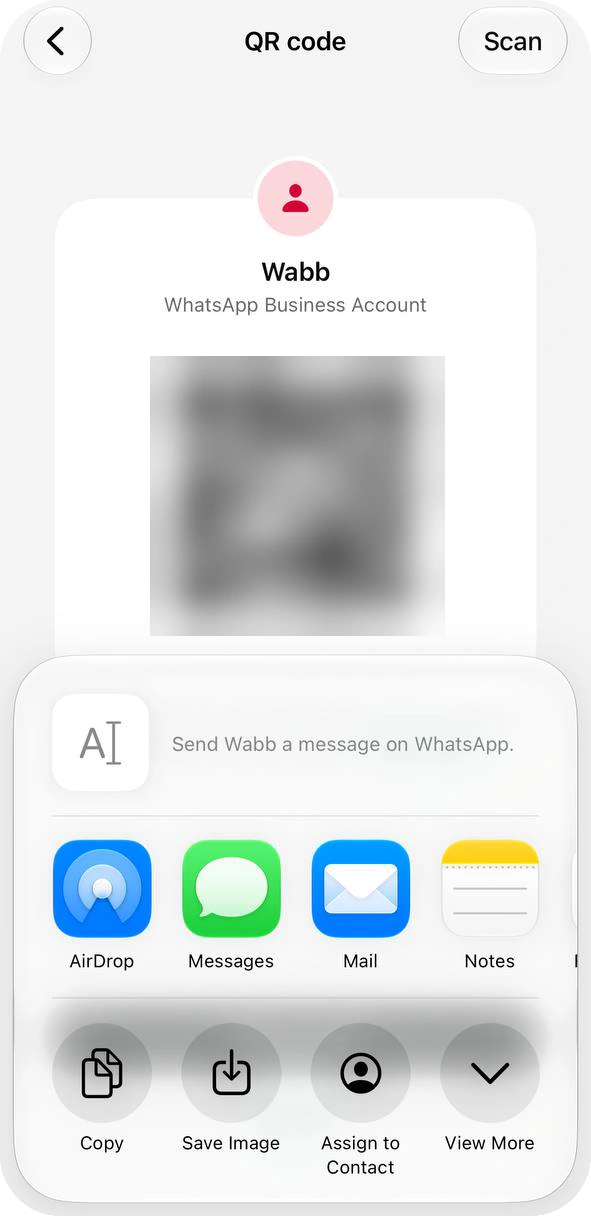
Source: About QR code for WhatsApp Business; How to print your QR code; Meta for Developers — QR codes and short links, checked 23 October 2026.
What Customers See
With WhatsApp installed, scanning the code or tapping the link normally opens a chat with your business. When the link opens in a browser, it shows a small page with your business name and the message. On our iPhone, a link opened inside another app’s browser did exactly that, even with WhatsApp installed: an Open app button and a download link. WhatsApp’s guide calls that button Continue to chat.
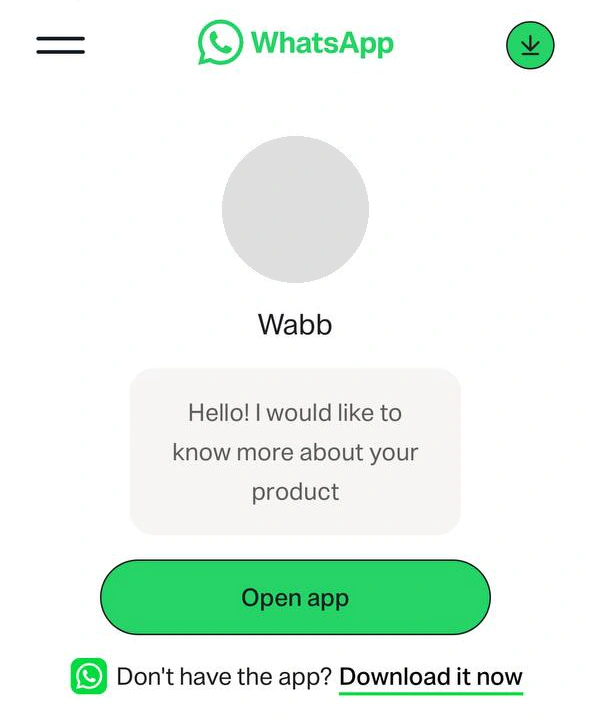
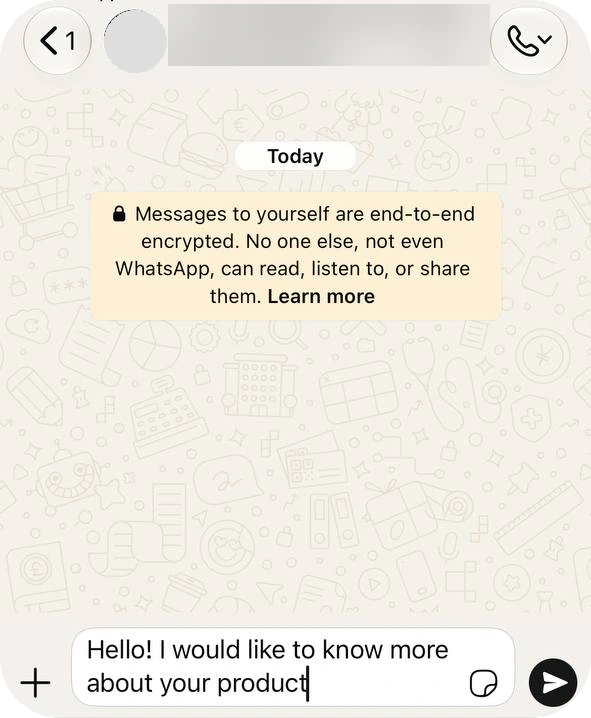
Source: How to create short links, checked 23 October 2026.
Short Link, QR Code or wa.me Link?
The short link and the QR code come as a pair: one Reset replaces both, and both use the same first message. The third option, a plain wa.me link, is built by hand: https://wa.me/<number> in international format, with an optional ?text= message, URL-encoded.
| Short link | QR code | |
|---|---|---|
| Looks like | wa.me/message/ plus a random code | A scannable image, with your @username on it if you have one |
| Your number in it | Not shown: Meta says the random code masks it | Nothing to read: it is an image |
| Change the first message | Yes, any time, in Short link | Yes, the same message. The printed code stays valid. |
| How many | One per account in the app | One in the app. Meta’s API and Business Manager allow up to 2,000 codes and links per number. |
| Use it for | Bio links, email signatures, direct messages, websites | Print: doors, tables, packaging, business cards |
Use a short link when the message might change or you don’t want the number in a public URL. Use wa.me when a website needs a button with its own text; that case is covered in the chat button guide.
No scan counts
Meta says analytics aren’t available for QR codes and short links, so you can’t see how many people used one. Some third-party QR tools count scans by sending people through their own link; the app’s code doesn’t. The app also gives you a single code and a single message, so you can’t tell two posters apart. That takes several codes, which Meta’s API or Business Manager can create, each with its own message.
Source: How to use click to chat; Meta for Developers — QR codes and short links, checked 23 October 2026.
Reset a Leaked Code
Posted your code on social media and spam followed? Open Tools → Short link → QR code → Reset (the Short link screen has a Reset button too) and confirm. WhatsApp asks first and warns that your existing short link and QR code will no longer work. Both are replaced, so reprint anything you had posted and update the link in your bio.
Spam isn’t the only reason: a reset also retires a code you printed for a campaign that is over.
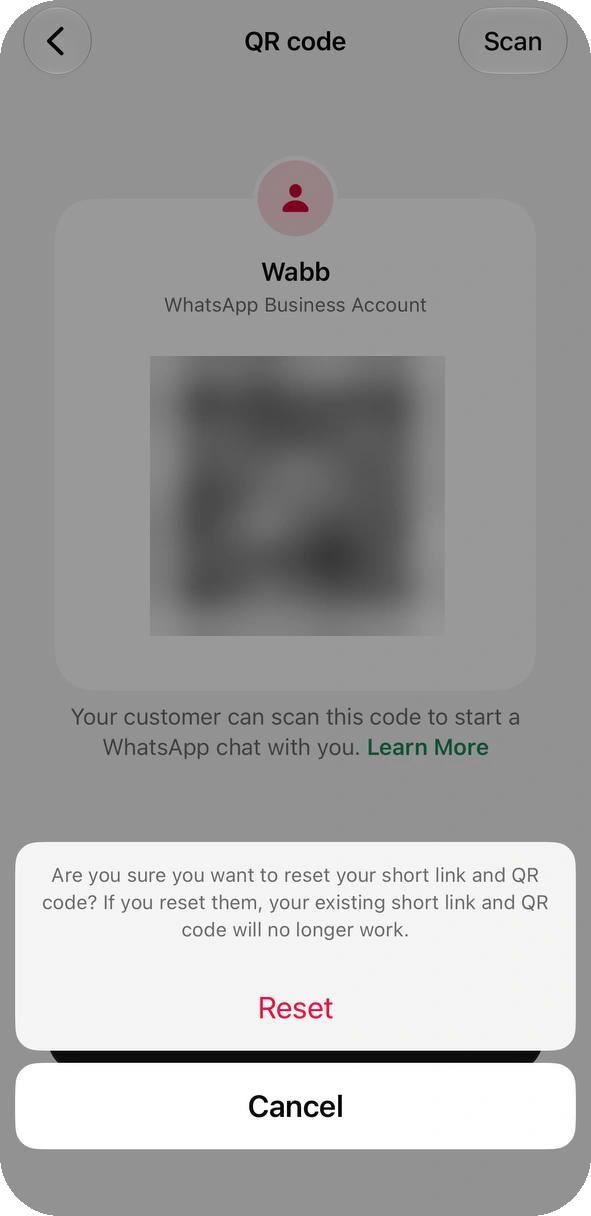
Source: How to reset your QR code for WhatsApp Business, checked 23 October 2026.
After the Scan: Who Replies?
A code gets the customer to your chat. It does not answer them. In the app, you or a teammate replies, or the quick replies you saved do the typing.
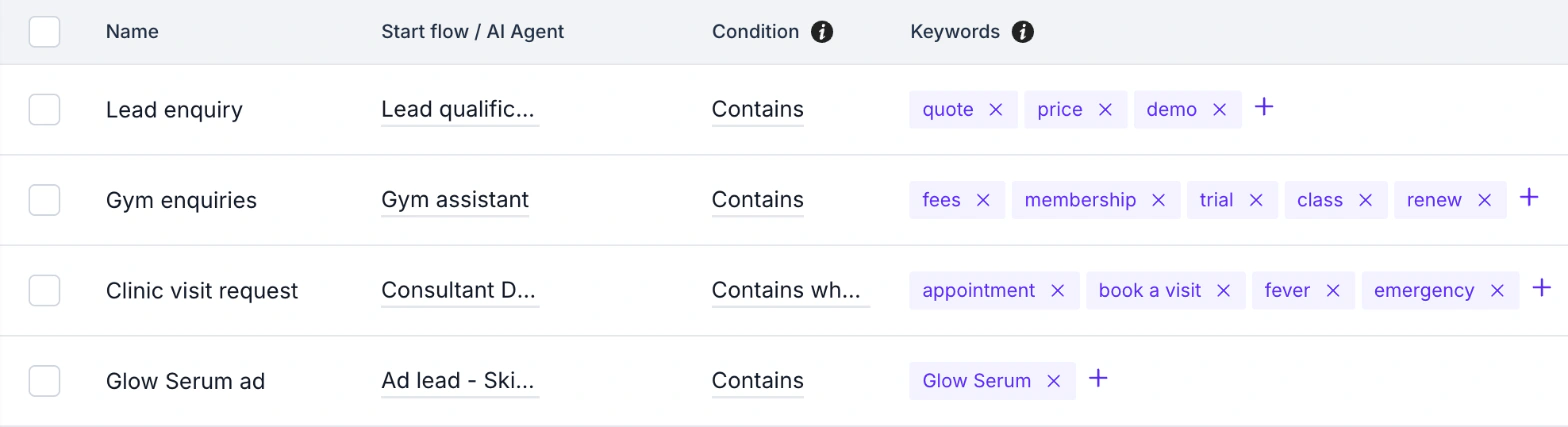
On the WhatsApp Business Platform, can start a flow or an AI Agent from that first message. The trick is to write the message as a keyword: a code on a shop door says “Hi! I’d like a quote for my order”, and a rule set to Contains “quote” starts the flow that replies.
In Automation → Keywords, each rule has a condition (Is, Begins with or Contains), its keywords and the flow or AI Agent to start.
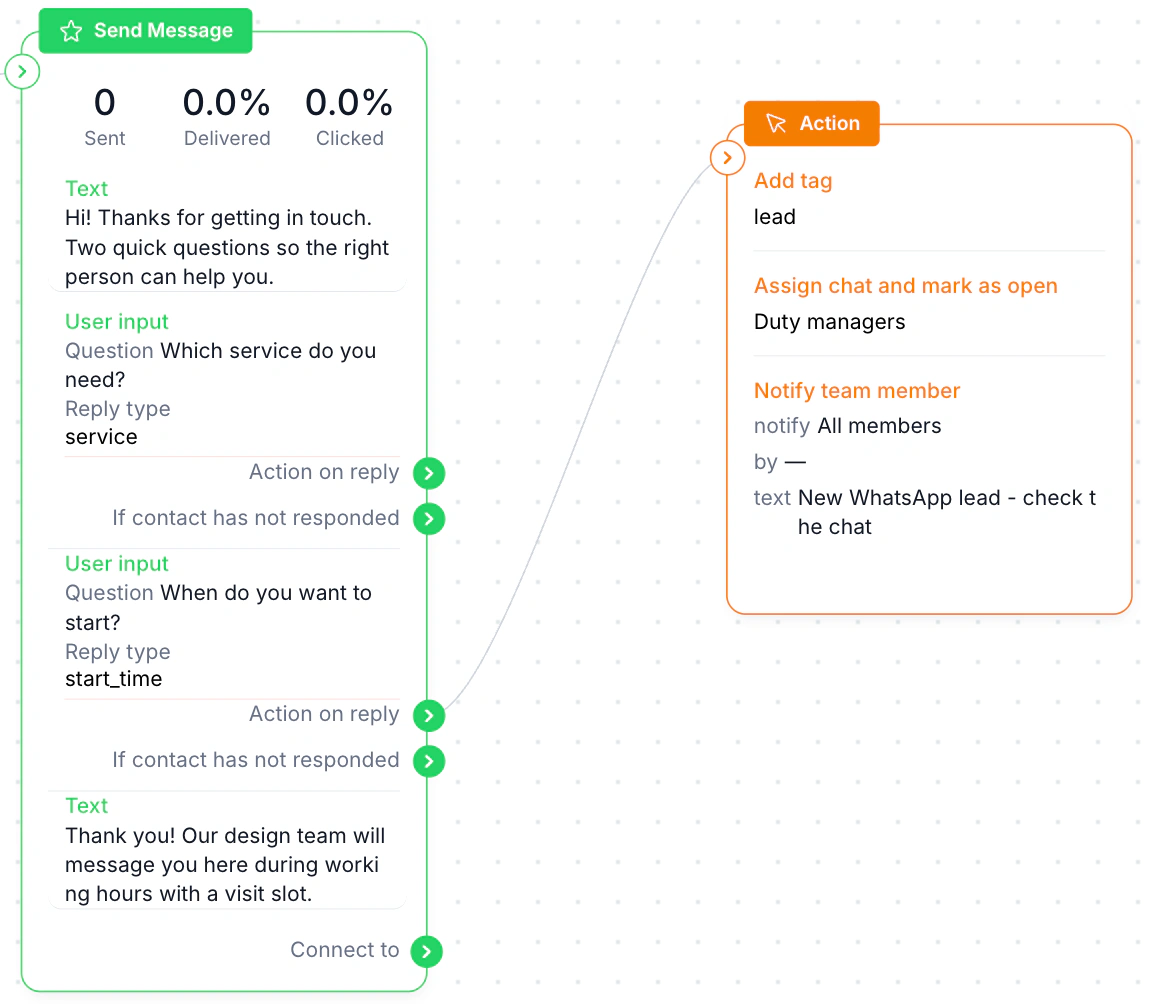
That flow greets the customer, asks which service and when, then an Action block tags the chat lead, assigns it to the duty managers and notifies the team.
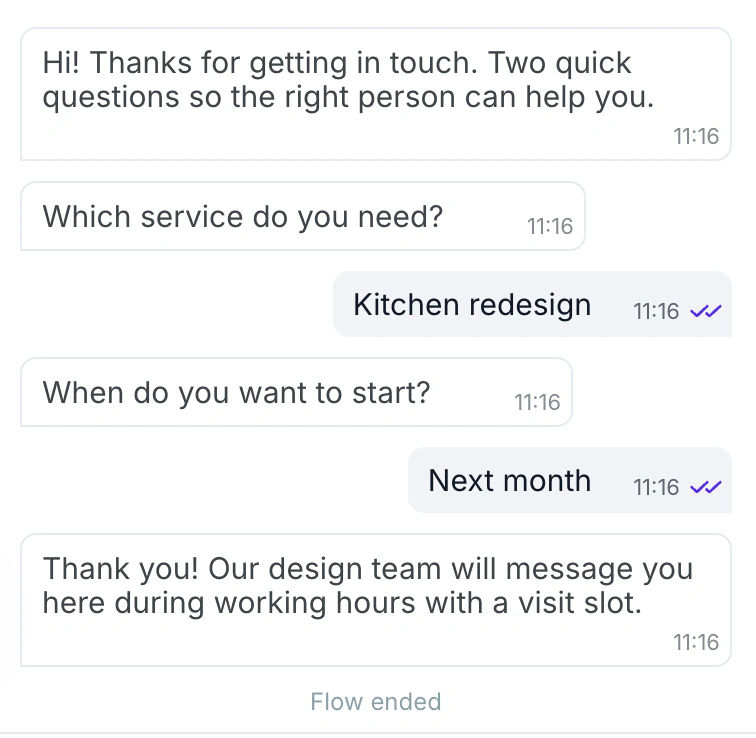
We did not scan a code on a live number. Preview mode starts the flow directly, so the keyword step follows WABB’s own rule description rather than something we watched end to end. On the Platform, codes are made in Meta’s Business Manager or API, not in the app.
See WhatsApp AI for business and the chatbot builder. Just need a link with a ready message for a website or a bio? The free WhatsApp link generator builds the wa.me version.
FAQ
Common Questions
Where are the QR code and short link in WhatsApp Business?
Open Tools → Short link. Your link is under your business name, and the QR code button is on the same screen. On Android you can also open the QR code from Settings, with the QR icon next to your name. See Find Them.
Can I change the message after I print the QR code?
Yes. Edit the first message on the Short link screen; the printed code keeps working and opens the chat with the new text, up to 140 characters. Customers can still edit it before sending. See First Message.
Does a WhatsApp Business QR code expire?
Not by itself: it works until you reset it or delete the account. After a reset, the old printed code stops working, and Meta says a deleted code or short link shows an expired message. Replace the printed copy with the new code. See Reset.
How do I print my WhatsApp Business QR code?
Open the QR code, tap Share code and choose Save Image, then crop the image to the code. WhatsApp’s sticker template is 8 × 8 cm; print from your phone, or email the image to a computer, without stretching it. See Share & Print.
What is the difference between a short link and a wa.me link?
A short link is a random code that hides your number, and you can edit its first message any time. A wa.me link carries your number, and any text sits inside the URL, so changing the text means changing the link. See Link or QR.
Can I see how many people scanned my QR code?
No: Meta says analytics aren’t available for QR codes and short links. Some third-party QR tools count scans through their own link, and the app’s code doesn’t; counting by placement needs several codes, which the app can’t make. See Link or QR.
Can I have more than one QR code?
The app gives you one short link and one QR code. Meta’s Business Platform documentation says a number can have up to 2,000 codes and links when you create them through the API or Business Manager. See Link or QR.