A customer who taps your name should find the basics before typing a word: what you sell, where you are, when you are open. The profile is where those answers live, and every field has its own short screen.
WhatsApp Business Profile: Quick Answer
The short version:
The profile is the public page attached to your business number. It shows your name, description, category, hours, address, links and email.
Open Tools → Profile in the iPhone app, tap a field, change it and tap Save.
A description of up to 512 characters, hours for each day, an address with an optional service area, up to three categories and links to your site and social pages.
The profile only shows information. It sends no reply by itself: automatic replies are the greeting and away messages on the Tools tab, or a flow or AI Agent.
No account yet? Start with how to create a WhatsApp Business account. The Web & Desktop guide lists every profile field in one table; this guide shows what to put in each.
It covers the Business app. A profile on the WhatsApp Business Platform is edited through your provider and follows different rules, so don’t carry these limits over.
Where to Find the Profile
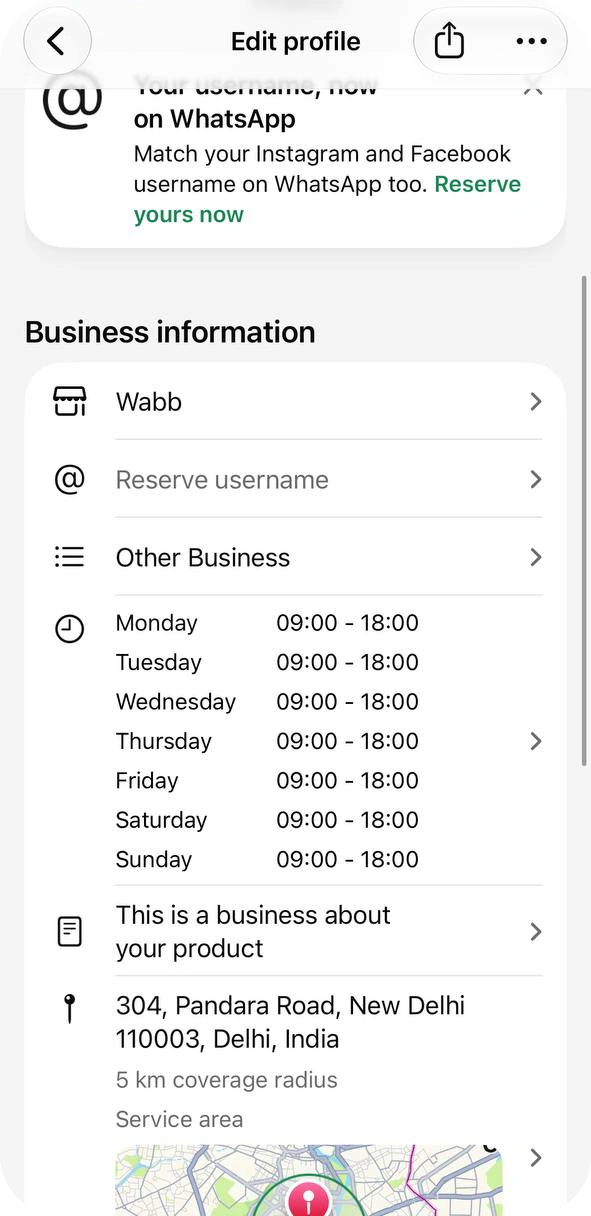
On the Tools tab, the Manage your account group starts with Profile, described as “Manage address, hours, and websites”. Tap it to open Edit profile: cover and photo at the top, then Business information (name, username, category, hours, description, address), Products and services, Links and Contact information.
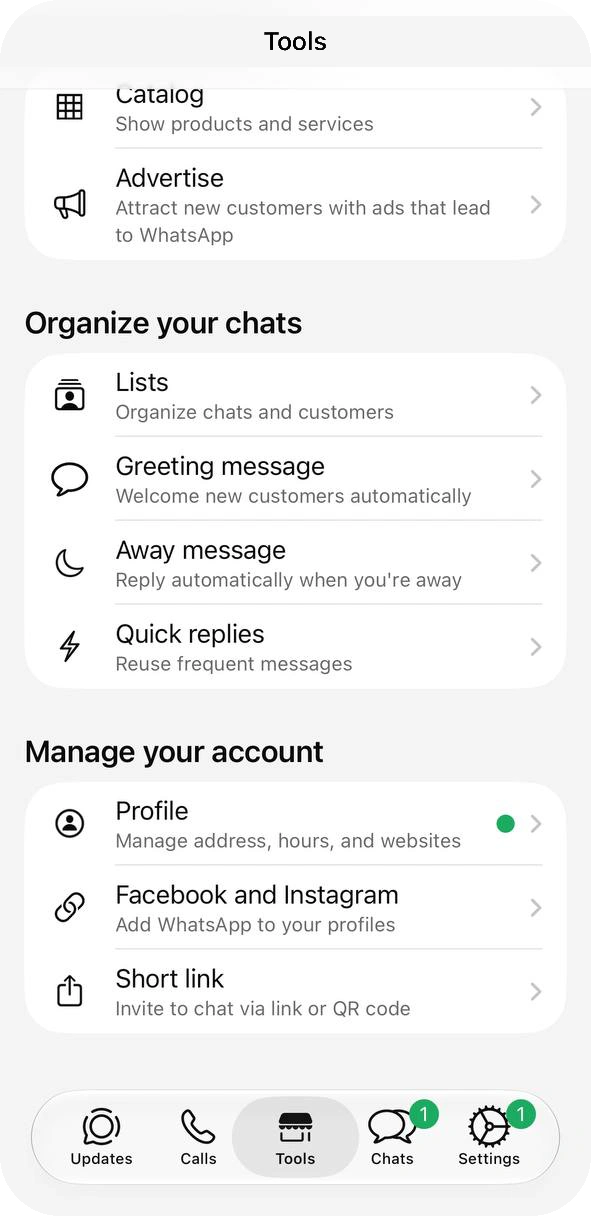
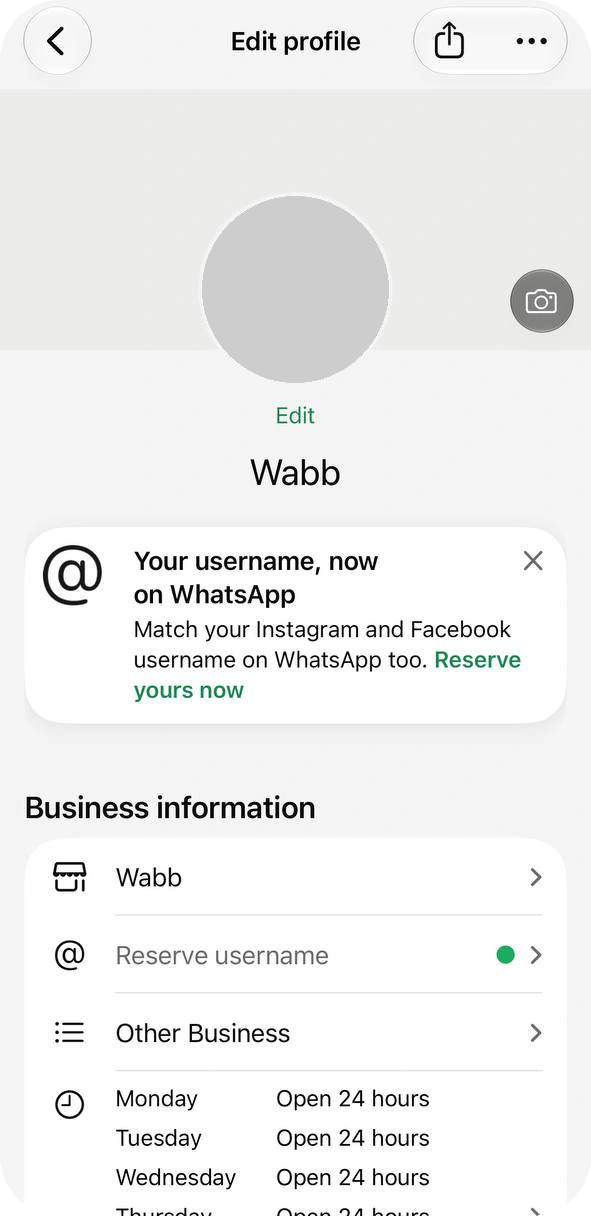
Tap a field, change it and tap Save. The banner about Reserve username is optional; the account guide covers it. On WhatsApp Business Web you can change the other fields too, but the business name, phone number, services and linked accounts stay phone-only. WhatsApp also says some profile updates are still rolling out, so a row may be missing in your app.
Source: WhatsApp Help Center — How to edit your business profile, checked 23 October 2026.
Write the Business Description
Tap Business description. The screen says “Tell potential customers what you do and why they should choose you” and counts your characters against 512. Spend them on three things: what you sell, where or to whom, and how to start the conversation.
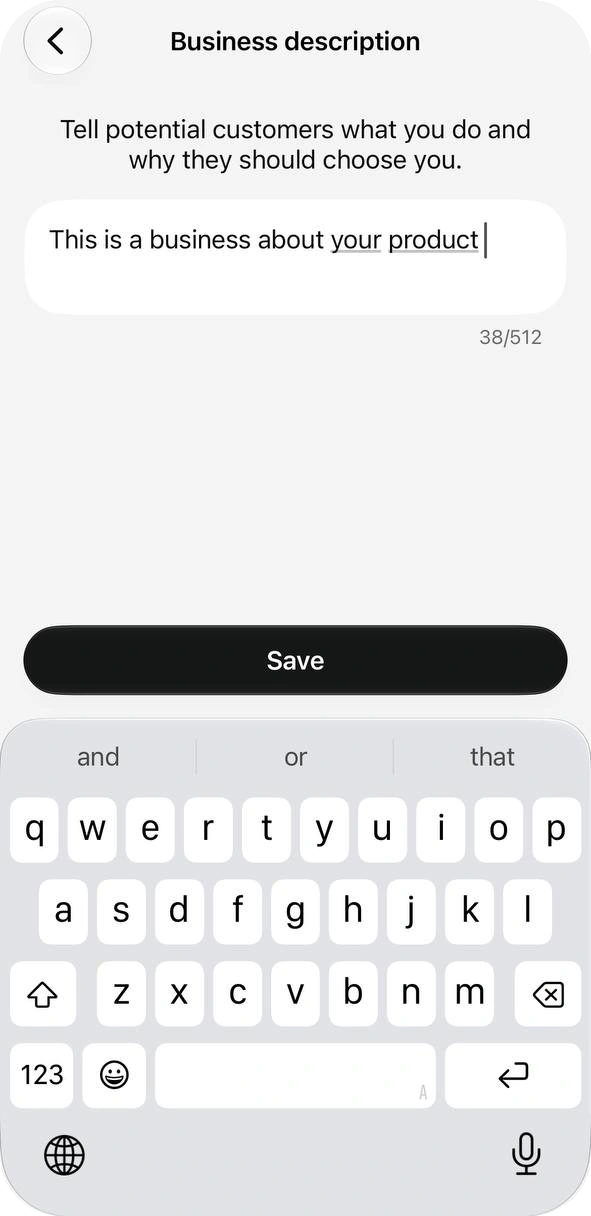
Some guides quote 256 characters for the app. The iPhone app we tested counted to 512 on 23 October 2026, so trust the counter on your own screen.
Replace each [bracket] with your own details:
| Business | Description |
|---|---|
| Shop | [Product type] made in [city]. Order here and we deliver to [areas]. Send a photo of what you like and we’ll send the price. |
| Service | [Service] in [area], [days]. Tell us what needs doing and when, and we’ll send a quote. |
| Appointments | [Type of business] by appointment in [area]. Send the day and time you prefer and we’ll confirm it here. |
Everything here is public, so skip personal phone numbers and prices you agreed with one customer.
Set Business Hours
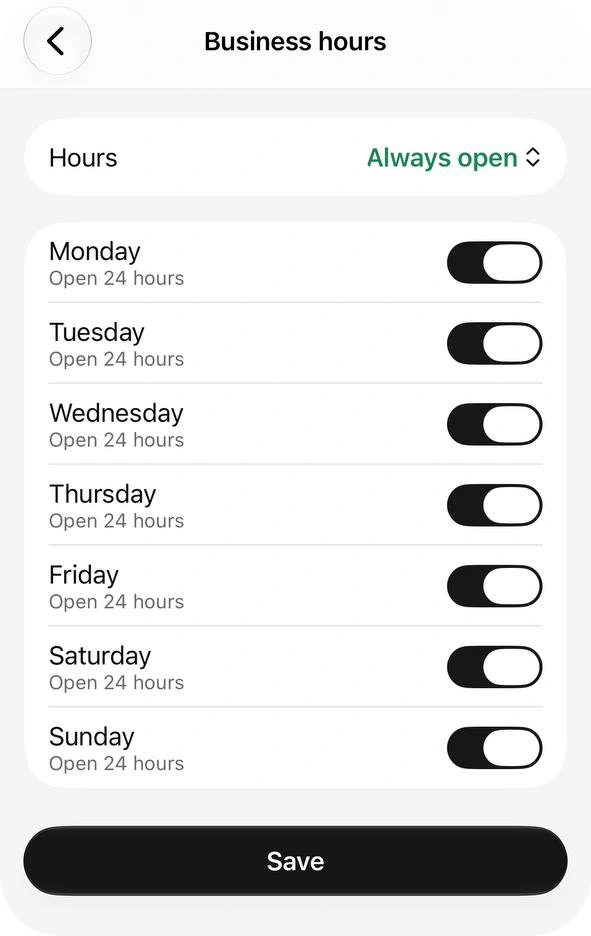
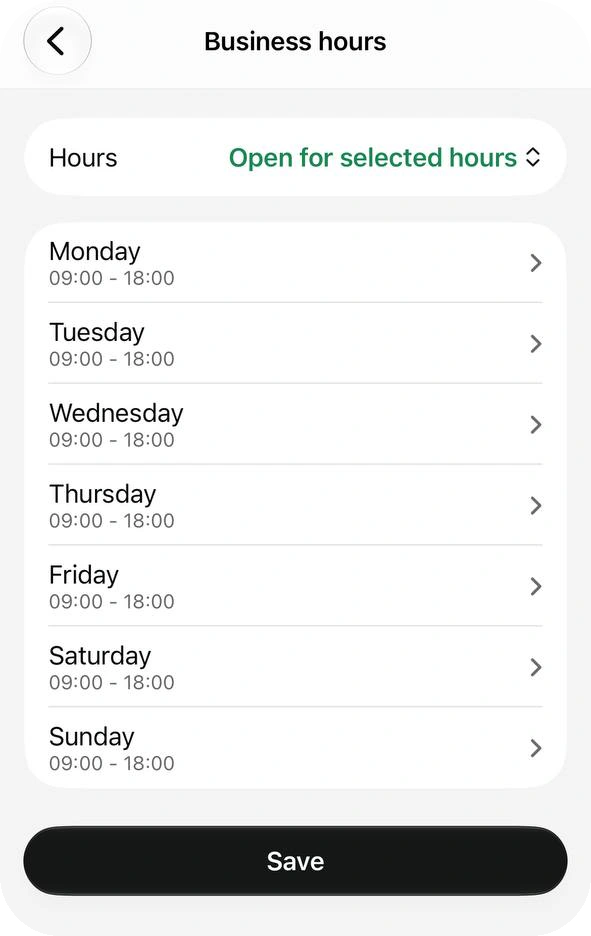
Tap the hours rows. A Hours menu at the top picks the template:
- Always open shows a switch for each day, with “Open 24 hours” under it.
- Open for selected hours lists the days; tap a day to set its times. Our account showed 09:00 - 18:00 for each.
- By appointment only works like Always open: switch on the days you take appointments. We did not capture this one.
The hours are information. A customer who writes after closing still gets no reply unless you set an Away message on the Tools tab. We saw one weekly schedule and no field for holiday dates, so change the hours by hand before a holiday.
Source: WhatsApp Help Center — How to edit your business profile, checked 23 October 2026.
Add an Address or a Service Area
Tap Address. The screen asks you to tell customers “where your business is located or where you operate”. Type a full address and pick a suggestion, or stop at a city: Delhi, India saved fine. More Options adds a Service area; we picked a 5 km coverage radius and the map drew the circle.
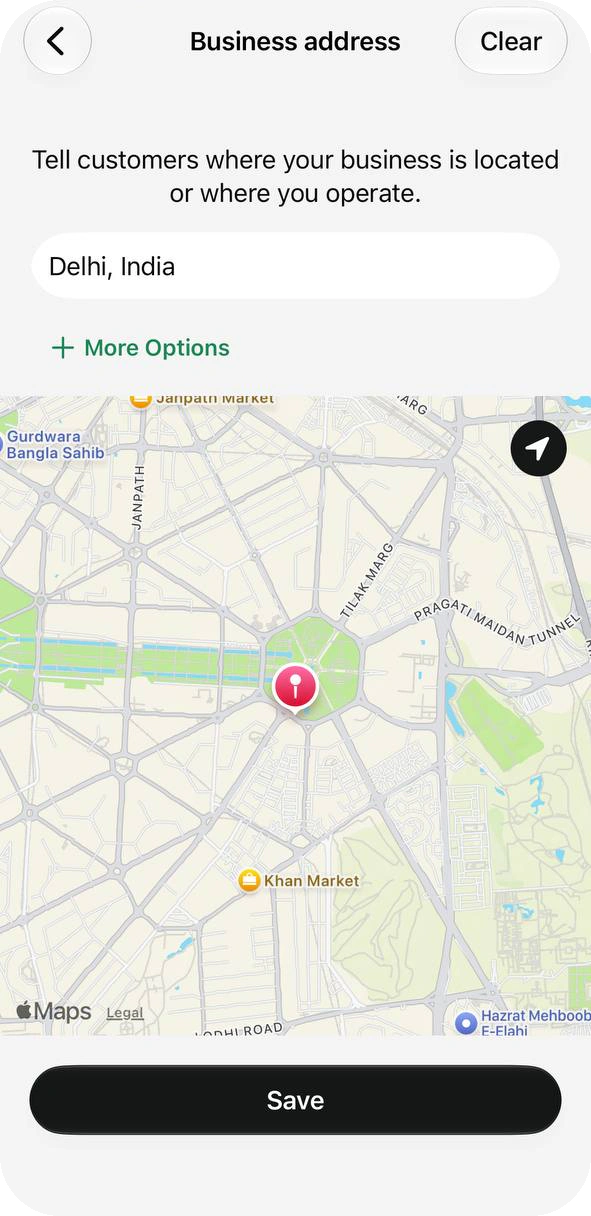
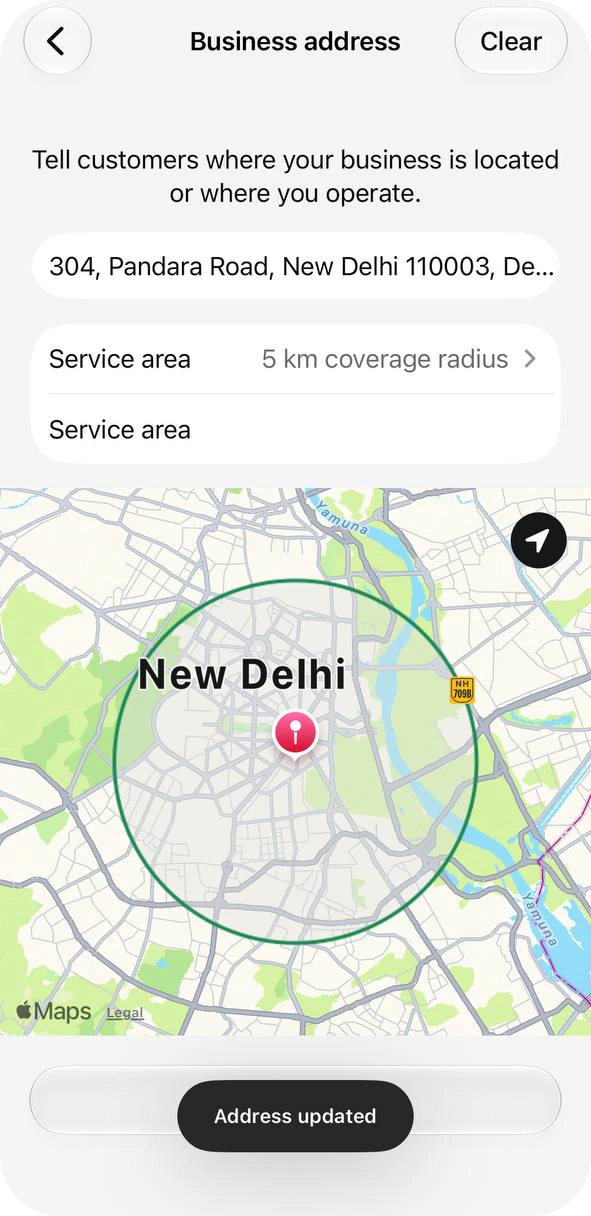
WhatsApp’s guide also lists Location Notes and Set location on map under More Options; the pin moves only the map location, not the address text. We did not test those two.
Working from home? Use the city and a service area, not your front door. Clear removes the address.
Source: WhatsApp Help Center — How to edit your business profile, checked 23 October 2026.
Choose a Business Name
The business name is the first row under Business information. WhatsApp lists these rules for a name to qualify for an Official business account:
Normal capitals. Sweet Treats, not SWEET TREATS. A short acronym is fine.
No emoji or symbols such as ®, no extra spaces and no unnecessary punctuation.
More than a label. Not just a person’s full name, a generic word like Fashion or a place like New York, and not three characters or fewer.
No “WhatsApp” in the name. If your brand already uses capitals or punctuation elsewhere, the name can match it.
Why customers may see only your number
Only an Official business account shows its name in the chat list. On a regular account, a customer sees the name they saved for you, or just your number. Changing the name of an Official account can cost it that status. This guide doesn’t cover how an account gets that status.
Source: WhatsApp Help Center — About creating a business name, checked 23 October 2026.
Photos, Category and About
For the photo, tap Edit under it: Take photo, Choose photo or Delete photo. WhatsApp’s guide also lists an avatar option; our iPhone showed these three. The cover has a camera button at its right edge, and both pictures are public by default.
WhatsApp gives no pixel size, and the photo shows in a circle, so keep the logo centered with margin around it.
You can pick up to three categories from the app’s list, but you can’t create your own. If nothing fits, choose a broader one or Other Business, the choice our account shows.
Source: WhatsApp Help Center — How to edit your business profile, checked 23 October 2026.
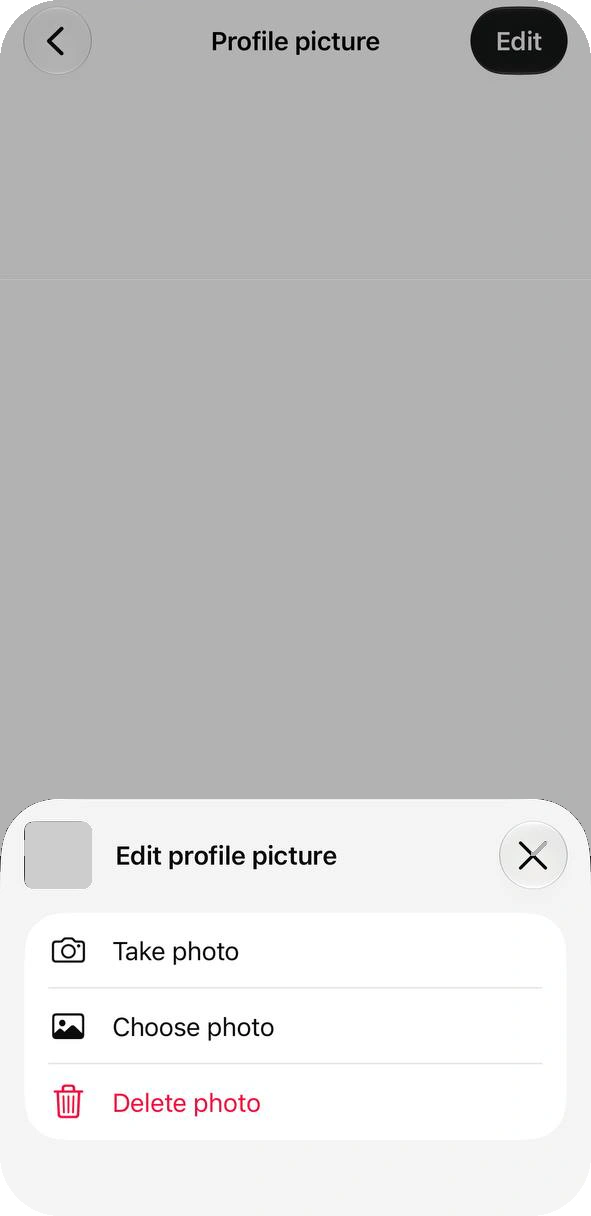
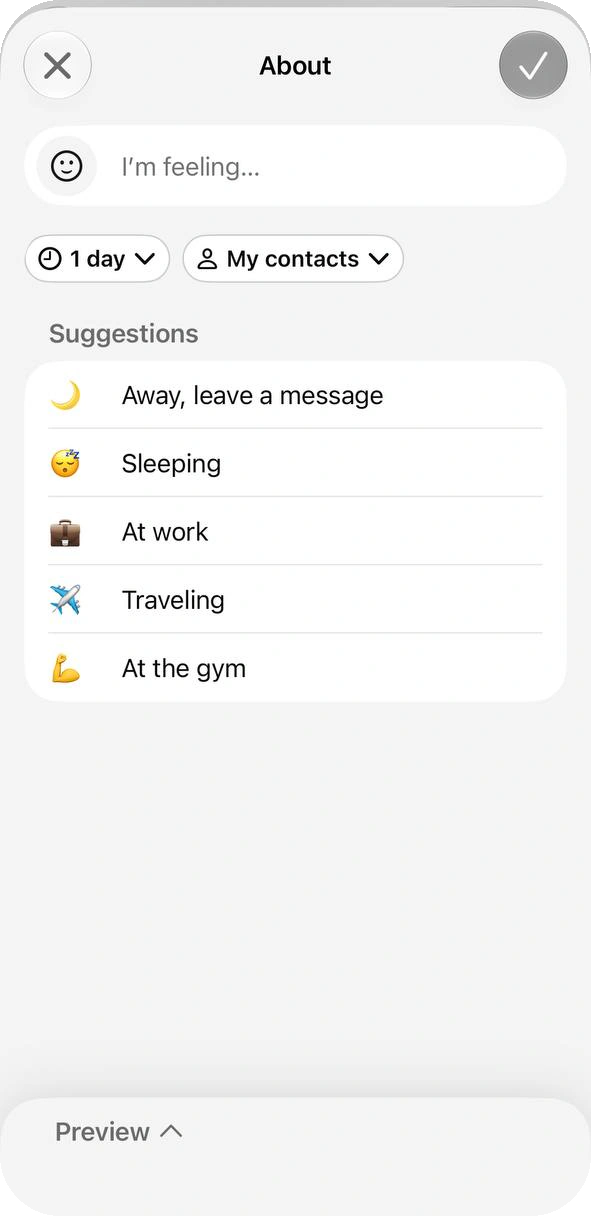
About sits at the bottom, under Contact information. Our iPhone offered a text box, two drop-downs set to “1 day” and “My contacts”, and suggestions such as Sleeping and At the gym. We did not test the drop-downs, so keep lasting facts in the description.
Links, Email and Contact
Under Links, add your Website, Instagram and Facebook. Under Contact information, add a Business email; your phone number is listed there too. Catalog has its own row under Products and services.
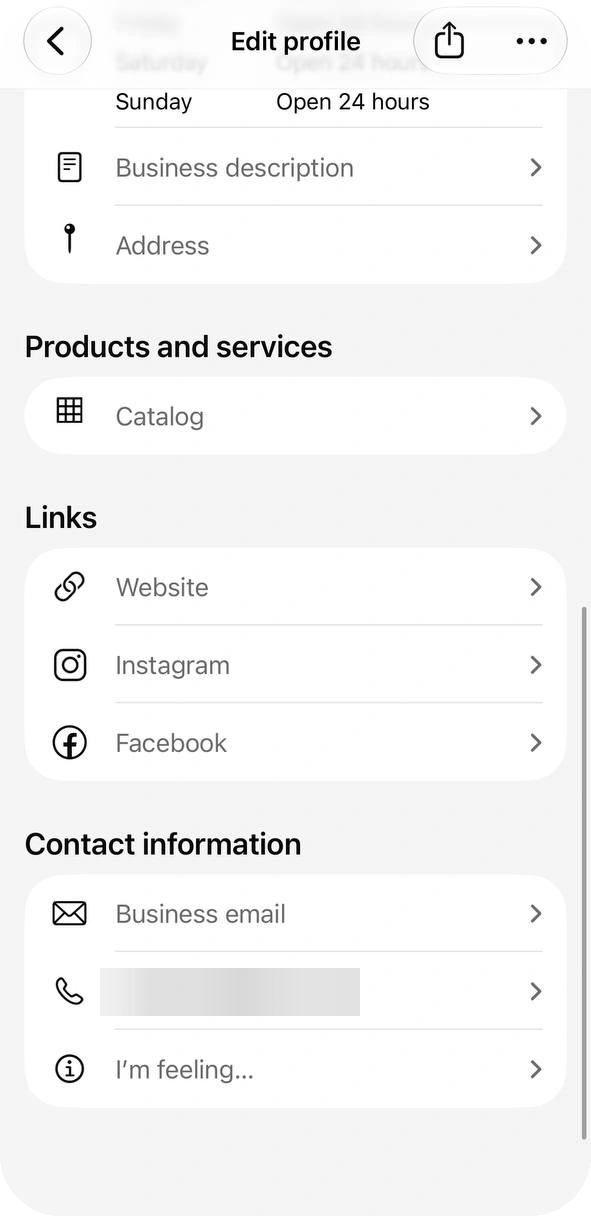
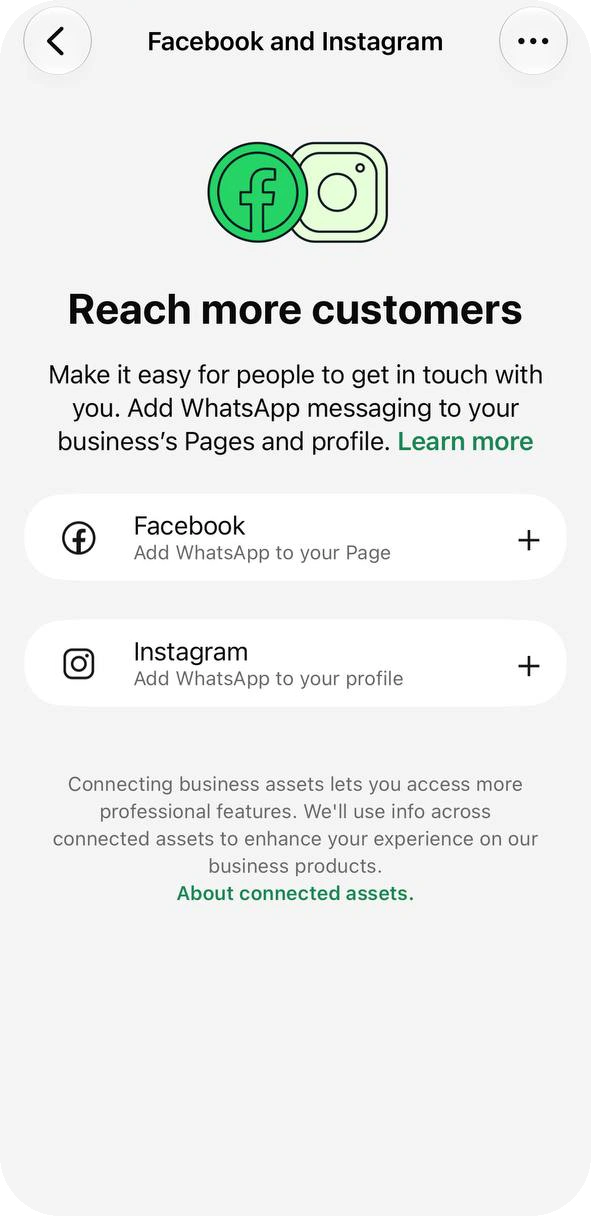
Linking a Page or Instagram profile can also show its latest posts on your profile, though WhatsApp says this may not be available in every region yet. A switch called Show on profile hides a linked account, and Remove WhatsApp unlinks it. Want a tap-to-chat link to put on those pages? Make one with the free link generator.
Source: WhatsApp Help Center — About your business profile, checked 23 October 2026.
Check It Before You Share Your Number
Your profile is visible to anyone who has your number saved, including people you blocked. A blocked person can’t message you but can still open the profile and the catalog. Run through this once:
Open your profile and read it as a customer would: are the name, hours and address right?
Does the description say what you sell, where, and how to start a conversation?
Tap your website and email once. A dead link on a business profile costs trust.
Look for anything personal: a home address, a private phone number, a price agreed with one customer.
Change the hours before a holiday, and change them back after.
A username doesn’t change this: WhatsApp says creating one does not hide your phone number (username rules). The profile also shows the month and year you joined.
Source: WhatsApp Help Center — About your business profile, checked 23 October 2026.
What the Profile Can’t Do — and What Comes Next
A profile answers the questions a customer can read. It sends nothing: once a message arrives, a person still has to reply, and the same hours and address get typed again and again. The app’s own helper is quick replies, which builds default replies from your profile.
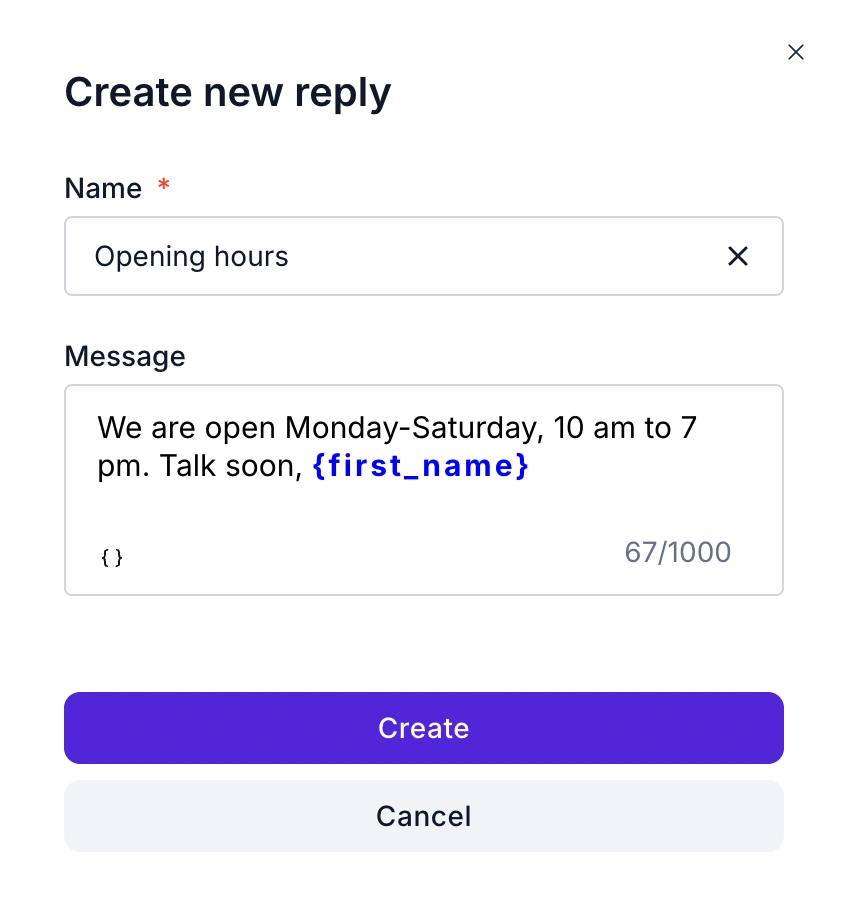
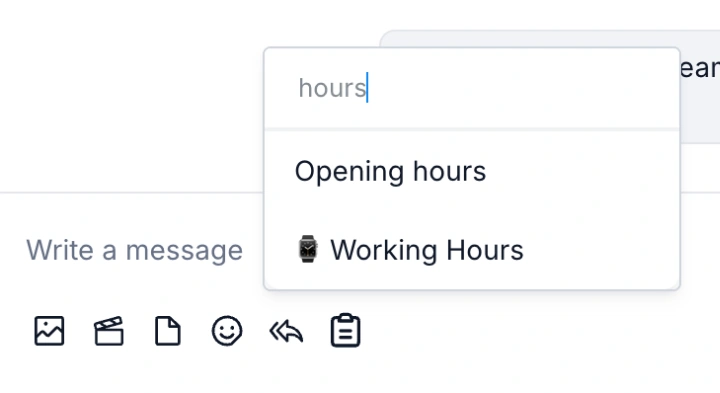
In Live Chat, the reply icon beside the message box opens that list. Search for the reply, pick it, and the text drops into the box with the contact’s first name filled in.
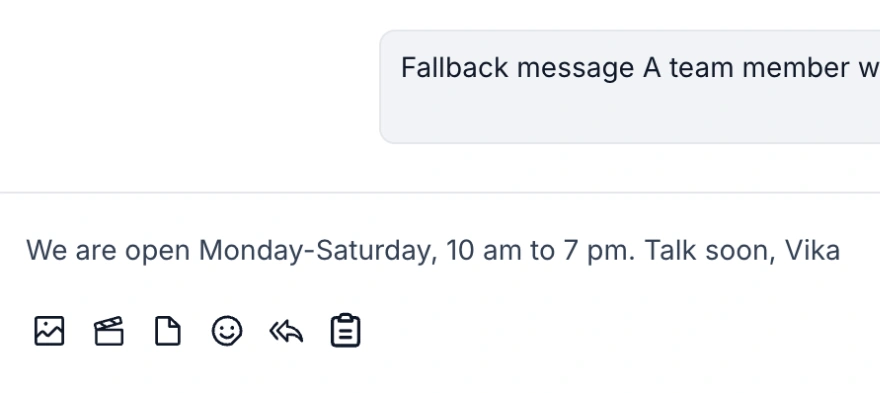
A person still sends it. To answer without one, a keyword rule under Automation → Keywords starts a flow when a message is, begins with or contains a word such as “hours”. A flow or an AI Agent then replies on its own, on the WhatsApp Business Platform rather than the app. We did not run an “hours” rule on a live number for this guide.
Staying on the app? Keep the profile current, and see the Web & Desktop guide for the greeting and away messages.
FAQ
Common Questions
Where do I edit my WhatsApp Business profile?
On the iPhone app, open the Tools tab and tap Profile, in the Manage your account group. Each field opens its own screen, and you tap Save to keep a change. See Where It Is.
How long can the business description be?
512 characters. The description screen in the iPhone app shows a counter such as 38/512 under the text box. Some guides quote 256 for the app, so trust the counter on your own screen. See Description.
Can I set different business hours for each day?
Yes: choose Open for selected hours and tap a day to set its times. The other templates are Always open and By appointment only, and hours are information only, so they send no reply. See Business Hours.
Can I show a service area instead of a full address?
Yes. The address can be as short as a city, and More Options adds a service area with a coverage radius. You can also clear the address. See Address.
Why do customers see only my number, not my business name?
WhatsApp shows your business name in the chat list only for an Official business account. On a regular account, customers see the name they saved for you, or just the number. See Business Name.
Can I edit my profile on WhatsApp Business Web?
Yes, apart from a few. Your business name, phone number, services and linked accounts can be changed only in the phone app, and WhatsApp says some profile updates are still rolling out. See Where It Is.
Who can see my business profile?
Anyone who has your number saved, including people you blocked. A blocked person can’t message you, but can still open your profile and catalog, so keep anything personal off it. See Before You Share.