
A customer asks what you sell and what it costs. The Business app can answer with a catalog: a shelf of products or services on your profile that you can send into any chat in a few taps.
WhatsApp Business Catalog: Quick Answer
The short version:
The catalog shows your products or services on your business profile. Every item needs a unique title, at least one image and a country of origin.
Open Tools → Catalog, tap Add new item, add photos, a name and Country of origin, then tap Save. WhatsApp reviews each item before customers can see it.
Optional price, sale price, description, website link and item code, collections that group items, and links that share one item or the whole catalog.
It lists items and sends customers to a chat. It doesn’t answer their questions for you. A flow or an AI Agent handles that, as the last section explains.
No business account yet? Start with how to create a WhatsApp Business account. This guide covers the Business app on the iPhone.
Open the Catalog
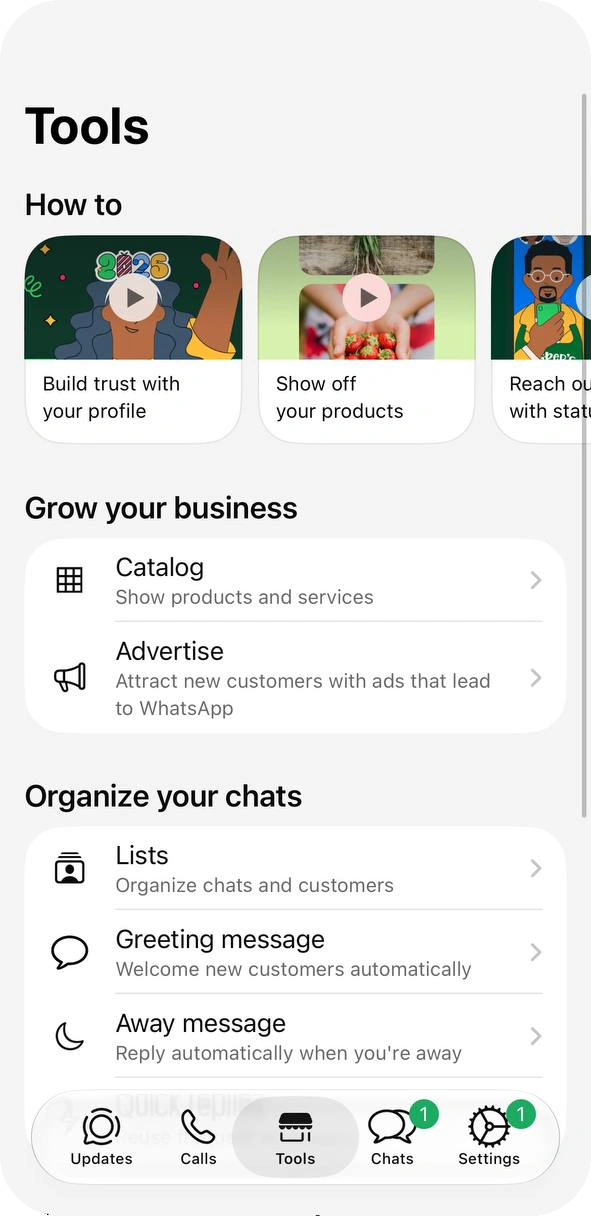
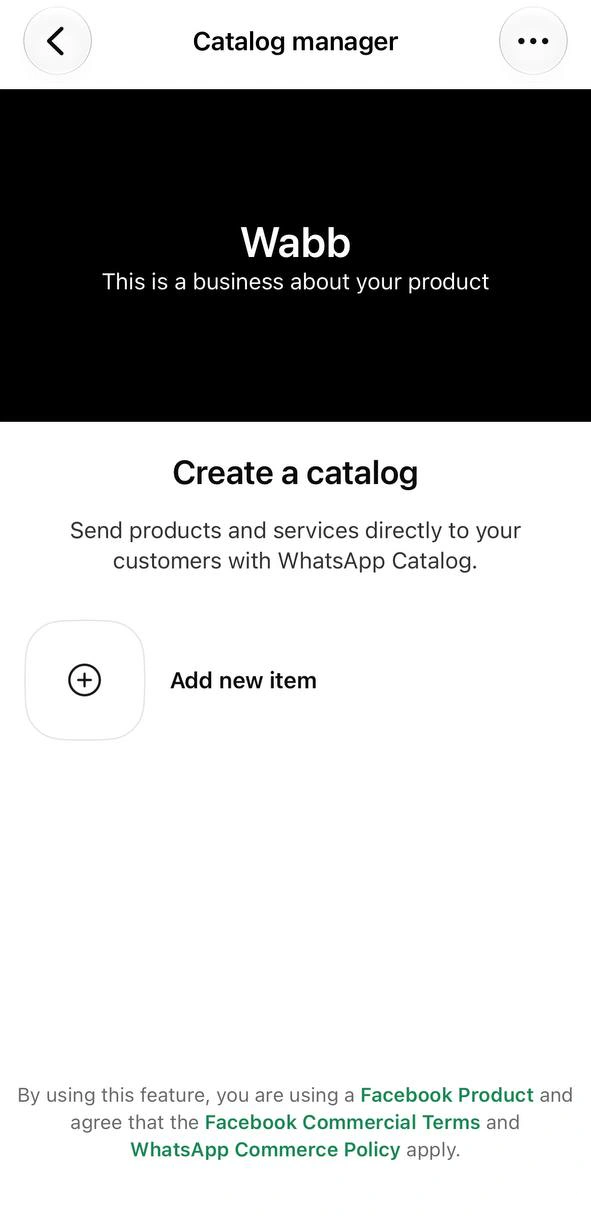
On the Tools tab, the Grow your business group lists Catalog (“Show products and services”) above Advertise. A new account opens the Catalog manager with a Create a catalog prompt and one button, Add new item. The catalog then appears on your business profile; the profile guide covers the rest of that page. WhatsApp’s guides also list Settings → Business tools → Catalog as a second way in.
Source: WhatsApp Help Center — About catalog, checked 26 October 2026.
Add a Product or Service
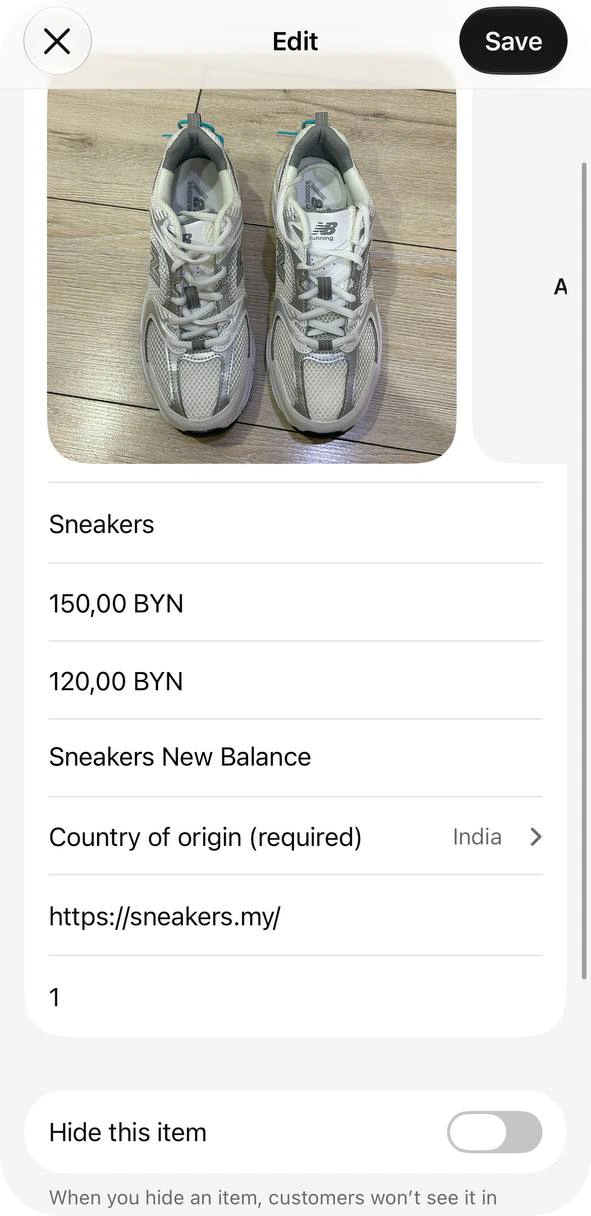
Tap Add new item, then add photos and videos from your library or the camera. Enter the name, choose the Country of origin, fill in any optional fields and tap Save. Here is what each field takes:
| Field | Status | Good to know |
|---|---|---|
| Photos and videos | At least one image | Up to 10 images or videos per item; a video can be up to 50 MB. |
| Name | Required | Must be unique. |
| Country of origin | Required | Also required whenever you edit an item. |
| Price and sale price | Optional | WhatsApp says prices are available only in certain countries. |
| Description | Optional | Shown under the price on the item page. |
| Website link, item code | Optional | Both sit behind More fields on our iPhone. |
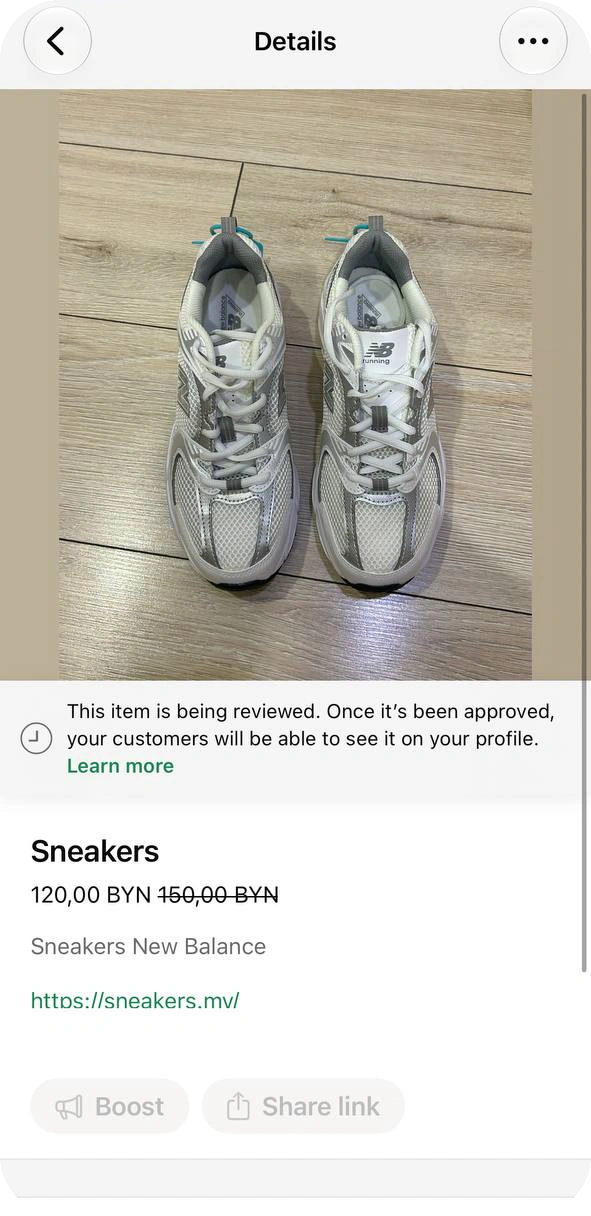
Review comes next. WhatsApp checks every image and video against its Messaging Policy, and customers see an item only after it is approved. If an item is rejected, a red exclamation icon appears; tap the item, choose Request another review and give a reason. We did not get an item rejected, and WhatsApp’s guide gives no review time for items.
Source: WhatsApp Help Center — How to create and maintain a catalog, checked 26 October 2026.
Group Items into Collections
Collections make a long catalog easier to browse. In the catalog manager, tap the ⋯ menu and choose Collections, then New collection. Name it, tap Next, select the items to include and confirm with the check mark.
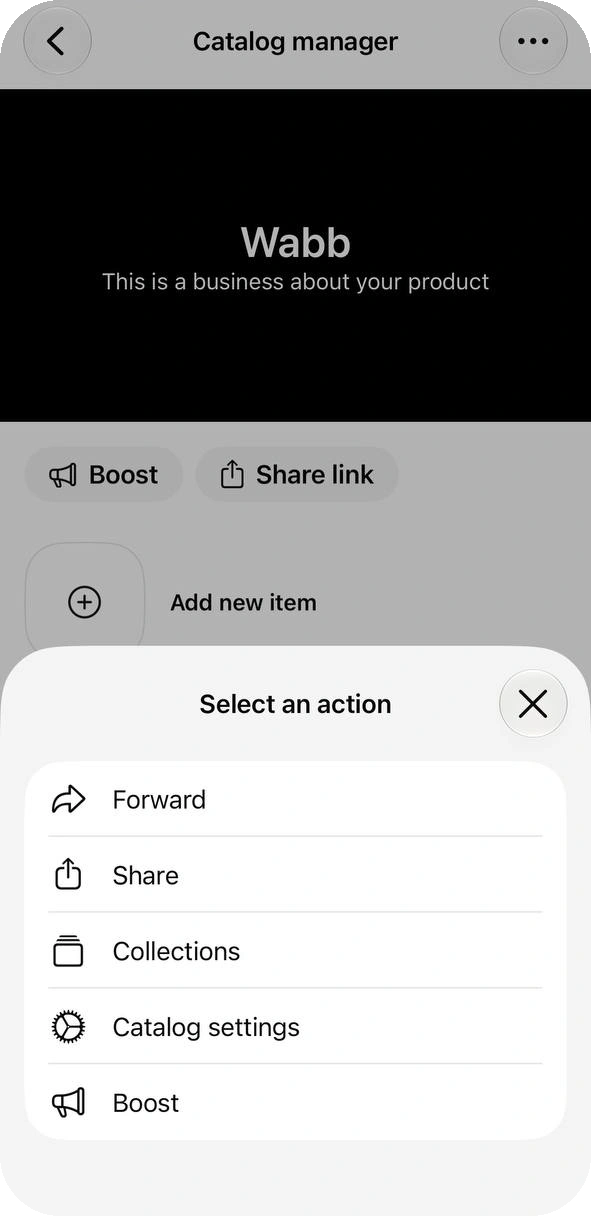

A new collection is reviewed too, which WhatsApp says takes no more than 24 hours. Inside a collection you can add or remove items, reorder them by dragging, rename the collection or delete it. The same Collections screen reorders the collections themselves.
Source: WhatsApp Help Center — How to create and manage a collection in your catalog, checked 26 October 2026.
Share Items and the Catalog
You can share one item or the whole catalog, in four places:
- From the catalog. Open an item and tap Share link, which stays grayed while the item is in review. The manager’s ⋯ menu offers Forward for a WhatsApp chat and Share for email and other apps, and the manager also has Share link and Boost buttons. We did not tap these.
- From a chat. Tap +, choose Catalog, pick items or Send catalog and tap Send. Ours arrived as “Follow this link to view our catalog on WhatsApp” with a View catalog button.
- From a computer. On WhatsApp Web or Desktop, open your business profile, scroll to Products and click More. Pick an item, click Forward and then Send link via WhatsApp.
- To your status. Choose My status when you share. WhatsApp notes that a status goes to all your contacts by default.
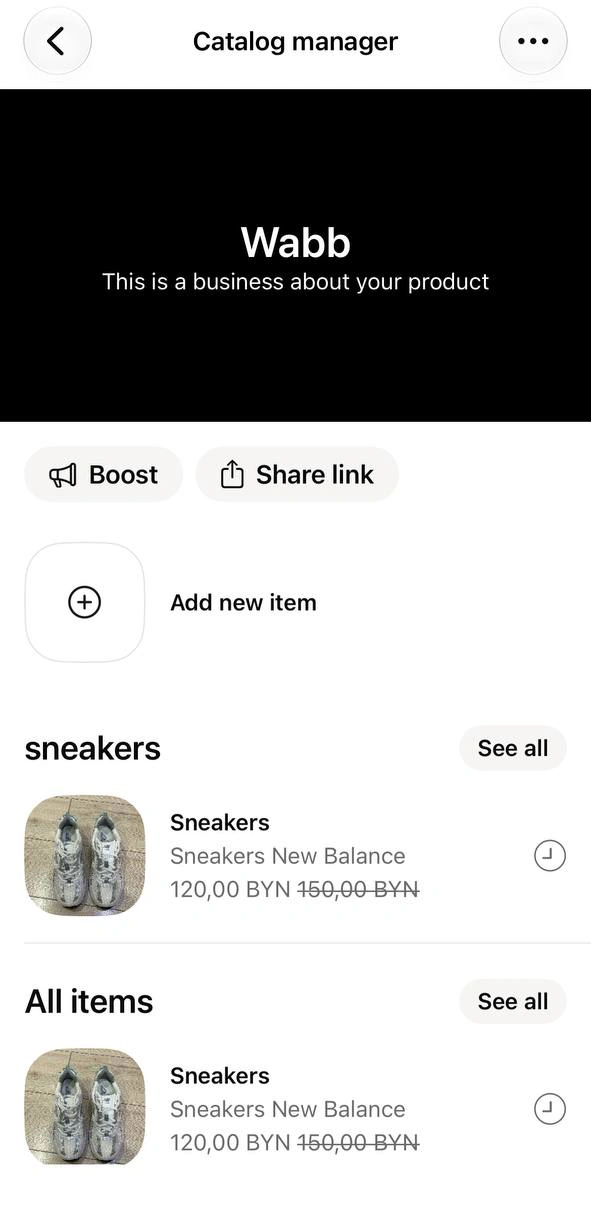
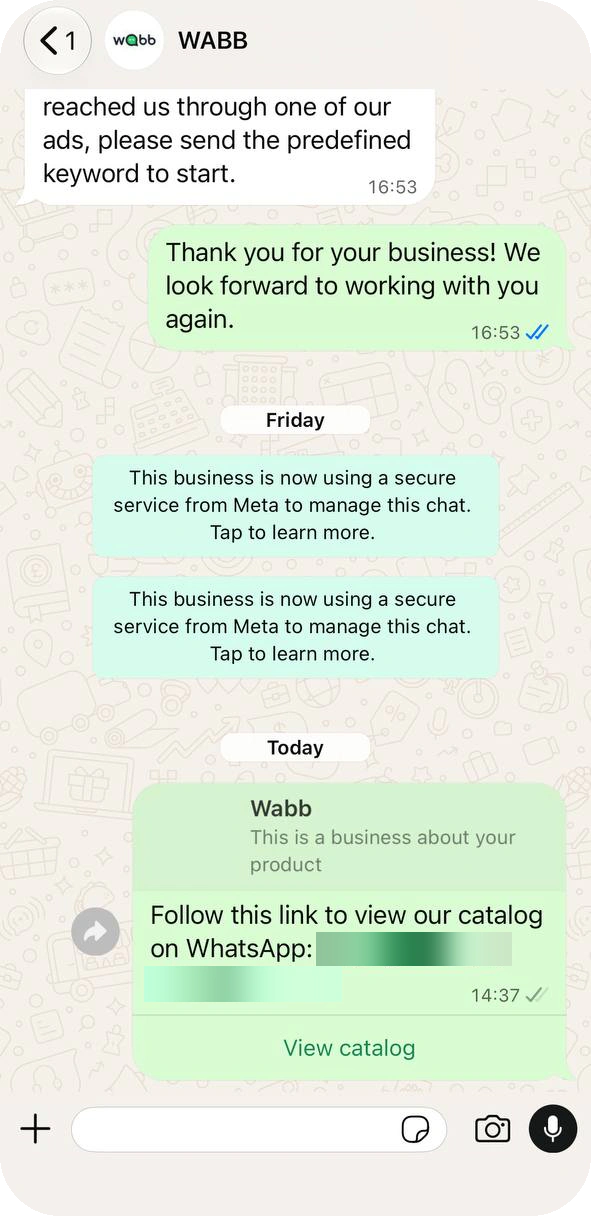
Two limits matter. The auto-generated link can’t be customized and may break if you change it. And a collection has no link of its own, so share the catalog link and ask the customer to open the collection.
We did not capture how the catalog looks on a customer’s phone. For a QR code or short link to your chat, see the QR code and link guide.
Source: WhatsApp Help Center — Sharing catalog links; How to share products or services from a catalog; About sharing your catalog to your WhatsApp business status, checked 26 October 2026.
Edit, Hide or Delete an Item
Open an item, tap the ⋯ menu and choose Edit. The edit screen carries the same fields as a new item, a Hide this item switch and a red Delete. Hiding keeps the item in your catalog manager, marked with an icon, while customers stop seeing it. In the manager you can also swipe an item left for Hide or Delete.
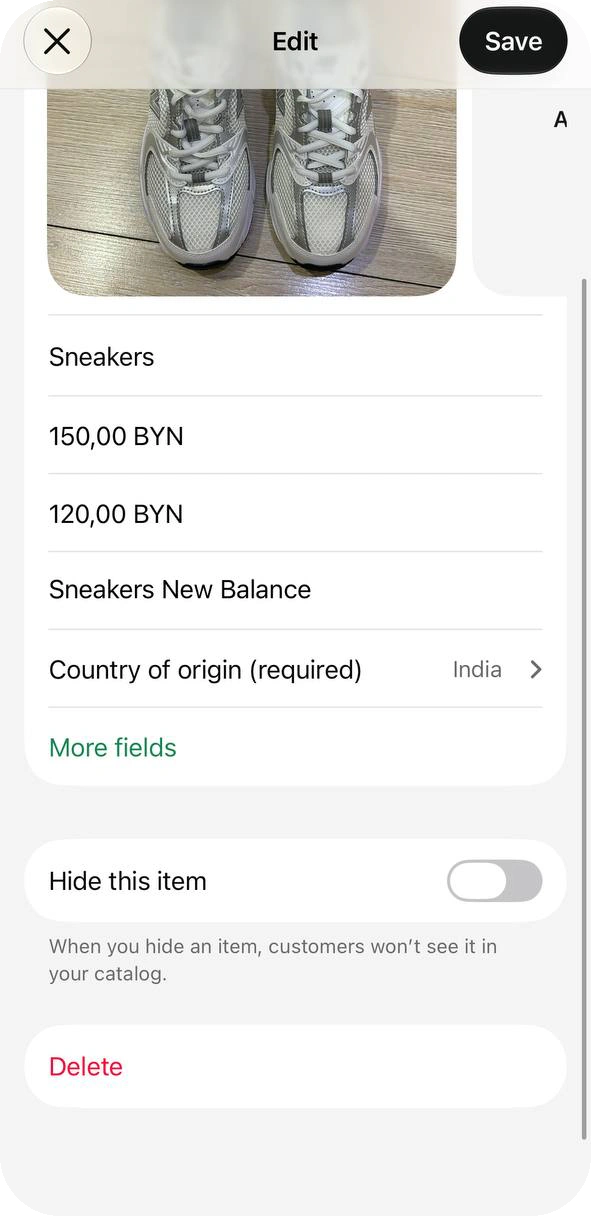
Hide an item that is out of stock, and delete one you will never sell again.
The manager’s ⋯ menu also opens Catalog settings. WhatsApp’s guide puts the Show add to cart button switch there, and says a change can take up to 24 hours to show. We did not open that screen.
If the Catalog Doesn’t Work
Start with review, the one cause that needs waiting rather than a fix:
The item is still in review, or was rejected. Customers see an item only after WhatsApp approves it. A rejected item shows a red exclamation icon; tap it and choose Request another review.
“Items can’t be displayed”. WhatsApp calls this a temporary issue and says your items are not deleted. Check the connection, update WhatsApp Business and reopen the app.
An item won’t save or delete. Wait a few minutes, change one item at a time, and try again.
A collection won’t delete. Remove every item from it first, then delete the empty collection.
There is no price field. WhatsApp says prices work only in certain countries.
A Meta catalog is connected. Connecting one archives your existing WhatsApp Business catalog, and you then edit items in Commerce Manager, not in the app. WhatsApp says the feature may not be available to you yet.
How many items fit? WhatsApp’s guides name no maximum. Vendor blogs quote 500, but none of them cites WhatsApp, so we don’t repeat the figure. The catalog is also not a place for ads; use Advertise for that.
Source: WhatsApp Help Center — Issues using catalog; About connected catalogs on the WhatsApp Business app, checked 26 October 2026.
What a Catalog Can’t Do — and What Comes Next
A catalog is a shelf. Customers browse it, then message you, and from there you do everything by hand: answer the same sizes and prices, send the right photo, follow up. Staying on the app? Quick replies speed up the answers and lists keep track of who asked about what.
To automate the replies, WABB runs on the WhatsApp Business Platform. Its flow builder has a Send Message block built from Text, Image, Video, File, Voice, Input, Delay, Disable, Contact and List buttons. There is no catalog or product block, so a product reply is an image, a text with the price and buttons that move the chat on.
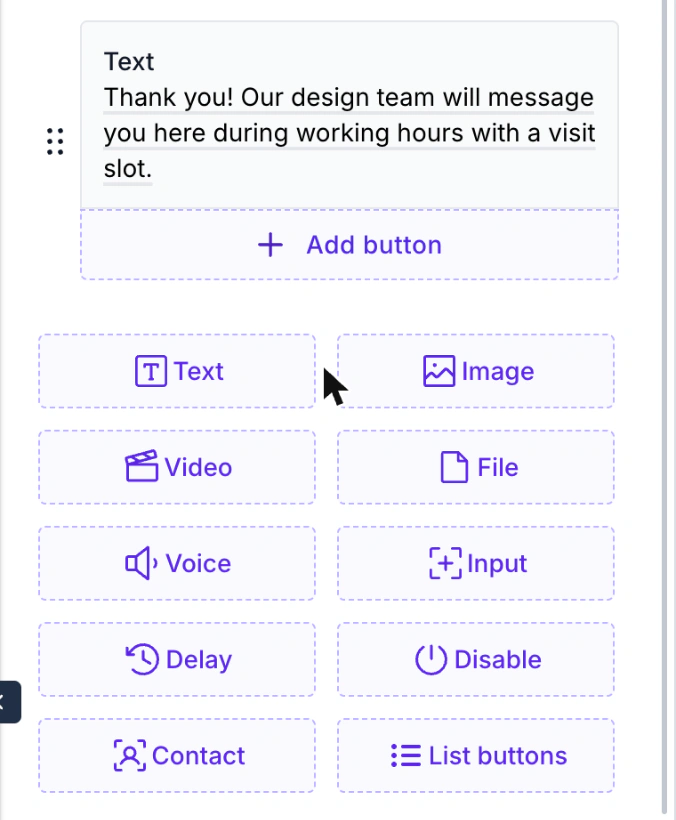
For questions a flow can’t predict, an AI Agent can answer from your own information. Selling through Shopify? See how WABB connects with Shopify. We checked the block list on a test workspace, and we did not run a product flow on a live number for this guide.
FAQ
Common Questions
Where do I add products in WhatsApp Business?
Open the Tools tab and tap Catalog in the Grow your business group. Tap Add new item, add photos, a name and a country of origin, then save. See Add an Item.
What does a catalog item need?
A unique title, at least one image and a country of origin. Price, sale price, description, website link and item code are optional, and prices work only in some countries. See Add an Item.
Why can’t customers see my new item?
WhatsApp reviews every image and item first, and customers see it only after approval. Our iPhone showed “This item is being reviewed” with a clock icon. A rejected item can be appealed. See If It Doesn’t Work.
How many products can a WhatsApp Business catalog hold?
WhatsApp’s guides name no maximum. Vendor blogs quote 500, but none of them cites WhatsApp, so treat the number as unconfirmed. Each item can have up to 10 images or videos. See Add an Item.
Can I share a collection with a customer?
Not as one link. WhatsApp says you can share a single item or the whole catalog, so send the catalog link and ask the customer to open the collection, or share its items one by one. See Share It.
How do I send my catalog to a customer?
In a chat, tap +, choose Catalog and pick items or Send catalog. You can also open an item in the catalog and tap Share link. See Share It.
Can I hide an item without deleting it?
Yes. Open the item, tap Edit and switch on Hide this item. Customers stop seeing it, while it stays in your catalog manager so you can show it again later. See Edit, Hide, Delete.